
V E L U W E H I D E O U T

Even geduld, we laden de pagina

The combimagnetron

    U bevindt zich hier
  • Home
  • The combimagnetron


The combimagenetron


whether you want to heat up a quick meal, bake a fresh sandwich or prepare an extensive dish, the combimagenetron offers all the convenience.


Thanks to the various functions, you can easily reheat, bake, grill and make oven preparations, so that you are also provided with all the cooking conveniences during your stay.


Brief explanation of how the combi magnetron works


Below is a step-by-step explanation of how to get to the front door.

Once above, a photo simply explains how to open the lock.\

Microwave

used symbol (1)   

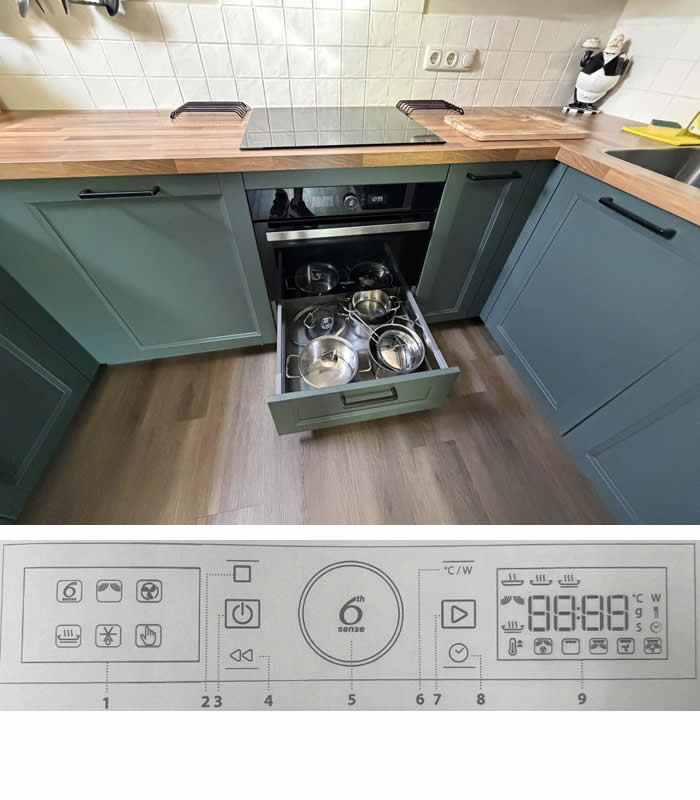
  1. Use button 3 to start the appliance
  2. turn button 5 until the microwave function is selected in the left menu
  3. press button 5 to set the power of the microwave in
  4. the right menu press button 5 again to set the time
  5. as in the left menu. right display” Door ” state, open/close the door
  6. then the microwave will start.


Oven

symbol used (1)   

  1. Use button 3 to start the appliance
  2. turn button 5 until the OVEN function (see symbol) is selected in the left menu
  3. press button 5 to set the power of the microwave oven in the right menu
  4. Press button 5 again to set the time
  5. if the right display says “Door”, then open/close the door
  6. the oven will start.


Other functions

there are many different functions that are discussed in detail in the manual. If you open the cover of the combi microwave, you will see a sticker with a QR code on the left.

Scan this code and open the corresponding website or click on the button below.

There you will find extensive user manuals in various languages.